
Jamf Pro
Generally AvailableConnect Jamf Pro once and Ferentin publishes its endpoint agent into it for you: the packages, the enrollment profile and the extension attributes, then the install policy, scoped to a smart group you choose.
- MDM
- Endpoint Agent
- Apple
- Delivery
- Ferentin publishes into Jamf Pro
- Jamf Pro access
- API client with 12 privileges
- Bootstrap token
- Minted at publish, never shown
- Requires
- Jamf Pro 11.9.1 or later
What you get
Publishes the endpoint agent
Ferentin uploads the agent and removal packages, the enrollment profile and the extension attributes into Jamf Pro, then creates and scopes the install policy.
Privileges checked on connect
A missing Jamf Pro API privilege is named when you connect, not discovered halfway through an upload.
Smart group scoping
You pick the Jamf Pro smart computer group from a list read from Jamf Pro, so a deployment cannot be scoped to a group that does not exist.
Token minted at publish
The bootstrap token is minted during the publish and goes straight into Jamf Pro. It is never downloaded and never shown.
Posture reporting
Every enrolled Mac reports SIP, FileVault, boot security and content-filter liveness on a five-minute heartbeat.
How it works
You give Ferentin a Jamf Pro API client whose role holds twelve privileges and nothing more. Ferentin checks them when you connect, so a missing privilege is named on the settings screen rather than failing halfway through an upload. The client secret is write-only: it is kept in the platform secret store and never shown again.
Each deployment pins a release and a smart computer group, picked from the groups Ferentin reads from Jamf Pro. Publishing mints the bootstrap token on the server and uploads it straight into the enrollment profile, so the token never reaches your disk. Scoping is the last step, so a publish that stops early leaves nothing live, and you can run it again.
Every Mac that installs the agent enrolls with Ferentin. From then on it has its own device identity, enforces your signed policy and reports its posture on a five-minute heartbeat.
Jamf Pro's API cannot accept a signed configuration profile, so the security profiles are the one upload you do by hand. Upload them from the deployment bundle before you publish: a Mac that takes the agent without them installs normally and gives no sign anything is wrong.
Step-by-step setup
Full setup guide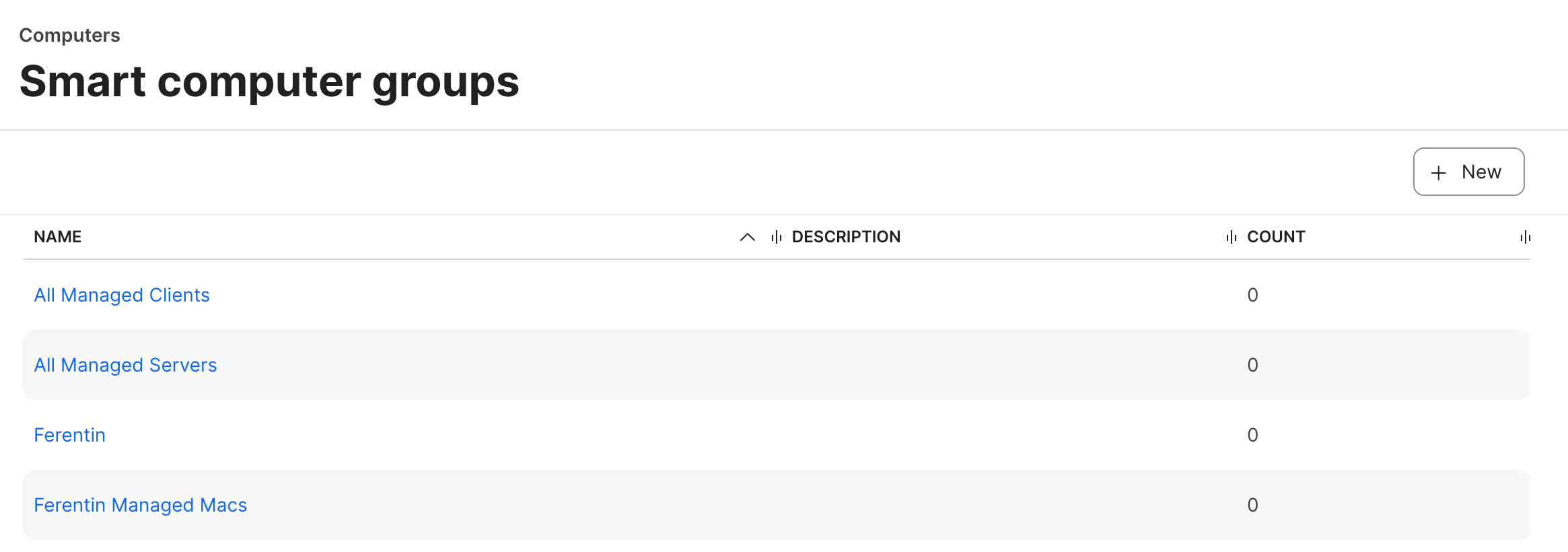
About Jamf Pro
Jamf Pro is the enterprise standard for managing Apple devices, covering deployment, configuration, inventory, and compliance for Mac, iPhone, and iPad fleets.
Frequently asked about Jamf Pro
- What does Jamf Pro add to Ferentin?
- Jamf Pro delivers the Ferentin endpoint agent and its signed configuration profiles to the Macs it manages. Each Mac that enrolls gets a device identity, enforces your signed policy and reports its posture to Ferentin. The integration provides agent publishing, privilege check, smart group scoping, enrollment token minting and posture reporting.
- How is Jamf Pro access secured?
- The Jamf Pro integration is covered by least privilege API role, write only credentials and signed profiles.
- How do I connect Jamf Pro to Ferentin?
- Open the Ferentin admin console, build a deployment that targets Jamf Pro and deliver it through Jamf Pro. Each Mac enrolls with Ferentin when the agent installs.
- Is the Jamf Pro integration generally available?
- Yes. The Jamf Pro integration is generally available on Ferentin, including the free tier.