
Okta
Generally AvailableInstall Ferentin from the Okta Integration Network (OIN) and Okta signs in everyone who uses Ferentin, from administrators to employees. AI agents registered in Okta connect through Cross App Access, so Okta approves the connection and Ferentin governs every call.
- SSO
- OIDC
- OIN
- Protocol
- OIDC with PKCE
- Installed from
- Okta app catalog (OIN)
- AI agents
- Cross App Access (XAA)
- Passwords
- Never seen by Ferentin
What you get
Sign in from Ferentin
People type their work email at Ferentin and are sent to Okta to authenticate.
Launch from Okta
People open Ferentin from their Okta dashboard without a separate login.
Email domain routing
The domain of a work email decides which identity provider signs that person in.
Multi-factor authentication
Your Okta MFA policies run before Ferentin issues a session.
Just-in-time provisioning
An account is created in Ferentin the first time someone signs in.
Group sync
Group membership from Okta carries into Ferentin policies.
Universal Logout
Ending a session in Okta ends every Ferentin session and refresh token that person holds.
Cross App Access
AI agents registered in Okta connect to Ferentin with an identity assertion from Okta, with no consent screen.
How it works
Ferentin acts as an OIDC relying party, so it never sees or stores a password, and your Okta sign-on policies and MFA run before it issues a session. Administrators sign in to the Ferentin admin console to manage policy, MCP servers and audit. Employees sign in to the Ferentin user console with the same Okta account, and so do AI agents such as Cursor that connect to Ferentin with standard MCP OAuth. With just-in-time provisioning an employee's account is created at their first sign-in, and with a groups claim their Okta groups map to Ferentin roles every time they sign in.
Setup is a ten-minute exchange between the two consoles. Ferentin shows your tenant short name and tenant ID with copy buttons; you paste them into the Okta catalog app, which builds the redirect URI and the dashboard tile from them. Okta then issues a client ID and secret, which you bring back to Ferentin along with your Okta domain. Ferentin reads your org's discovery document before anything is saved, so a mistyped domain is caught at setup rather than at first sign-in.
People can start at Ferentin, where the domain of the email address they type routes them to Okta, or click the Ferentin tile on their Okta dashboard. The tile shows as long as the app's icon is left visible when you add it. Okta assignments decide who may sign in at all, and deprovisioning stays at Okta: unassign or deactivate a user there and they can no longer sign in. Connect Okta Universal Logout as well, and ending a person's Okta session ends every Ferentin session and refresh token they hold, in browsers, CLIs and agents.
The same OIN app carries Cross App Access (XAA), with Ferentin as the resource app. Give an AI agent a managed connection to Ferentin in Okta, and the agent exchanges the employee's Okta sign-in for an identity assertion, then redeems it at Ferentin for a short-lived MCP token. There is no consent screen, and Okta refuses the assertion unless both the agent's connection and the employee's assignment are in place. Every call the agent then makes goes through Ferentin's policy, data loss prevention and audit, and the token records which agent acted for which person.
The Okta dashboard tile opens the Ferentin admin console, which only administrators can use. Add each administrator by their Okta email, or map an Okta group to an admin role, before their first sign-in. Employees sign in at the user console.
Step-by-step setup
Full setup guide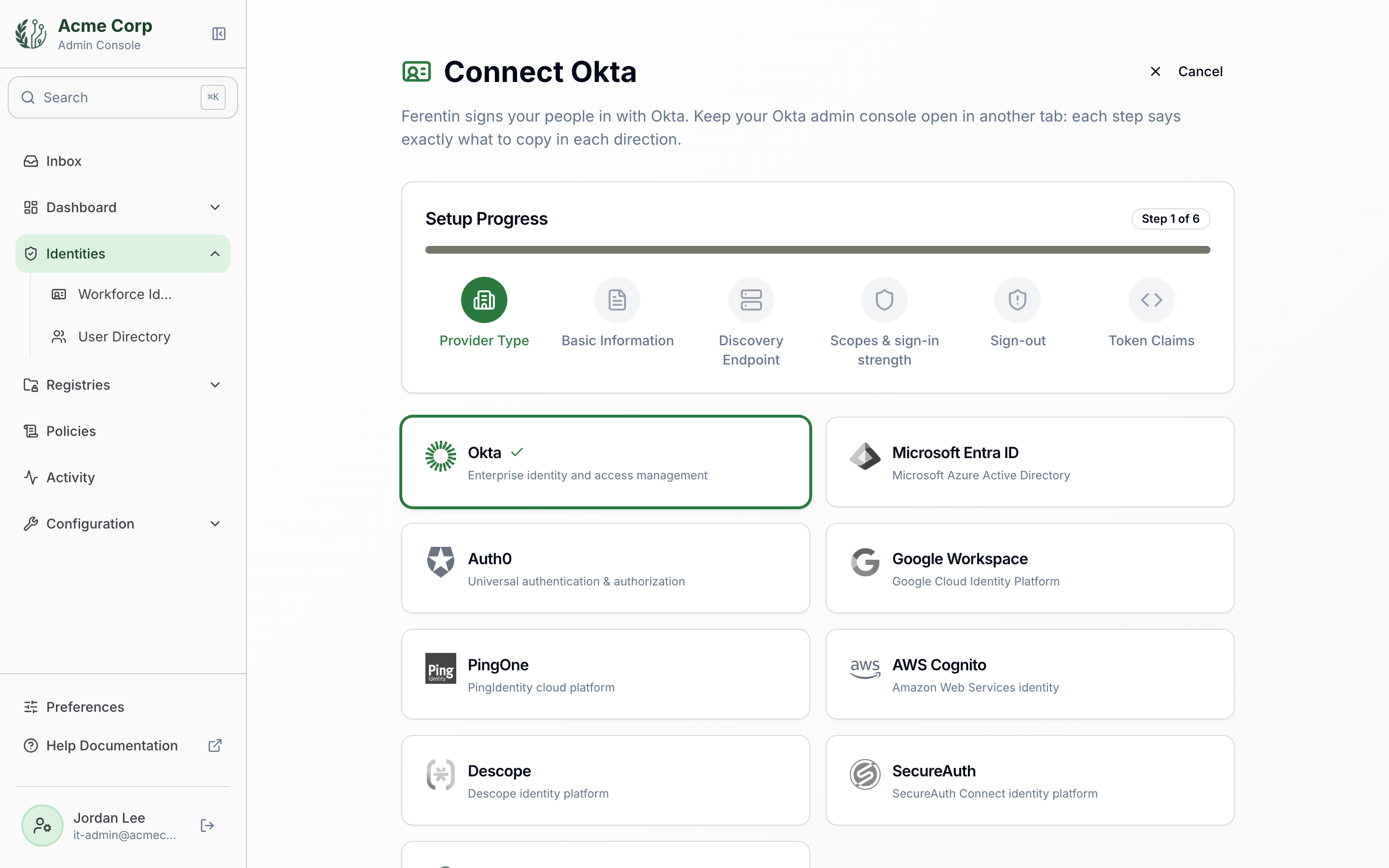
About Okta
Okta is a leading identity provider offering single sign-on, multi-factor authentication, and lifecycle management for enterprises.
Frequently asked about Okta
- What does the Okta integration do?
- Okta signs your people in to Ferentin, so every AI request carries a verified identity. It supports SP initiated SSO, IdP initiated SSO, email domain routing, MFA, just in time provisioning, group sync, universal logout and cross app access.
- How is Okta access secured?
- The Okta integration is covered by OIDC, PKCE, MFA enforcement and session management.
- How do I connect Okta to Ferentin?
- Open the Ferentin admin console and add Okta as an identity provider over OIDC. You exchange a few values between the Okta and Ferentin consoles, and Ferentin checks the configuration before it is saved.
- Is the Okta integration generally available?
- Yes. The Okta integration is generally available on Ferentin, including the free tier.