Slack and Salesforce Shipped MCP. Ferentin Governs It at Runtime.
San Francisco. Announced at Dreamforce 2026.
Slack shipped Slackbot as an MCP client. Slack and Salesforce shipped MCP servers. Ferentin governs all of them at runtime.
The theme of Dreamforce 2026 is the Agentic Enterprise: agents that work across Slack, Salesforce and everything connected to them. The plumbing is already here. Slackbot can now call external MCP servers, and so can Agentforce agents and Agentforce Vibes, Salesforce's coding agent. Slack runs its own MCP server. Salesforce exposes the CRM and the Headless 360 APIs as hosted MCP servers.
That is a lot of new ways for AI to reach your most sensitive data, and they run in two directions. Today at Dreamforce we are announcing runtime governance for all of them: every call checked against policy as it happens, under the identity of the person behind it.
Two directions, one trust layer
Slackbot to your tools. Slackbot, Slack's built-in assistant, can now use MCP servers you connect to it. Point Slackbot at a Ferentin MCP endpoint and every person in your workspace signs in with their own work account the first time they use it. From then on each tool call Slackbot makes is checked against your policies and recorded under that person's identity, with Slackbot named as the agent that made it.
Agentforce to your tools. Agentforce agents and Agentforce Vibes can call external MCP servers too. Register a Ferentin MCP endpoint with them and their tool calls pass the same policy checks and land in the same audit log as everything else.
Your agents to Slack and Salesforce. Claude, ChatGPT, Cursor, Copilot and your own agents reach the Slack MCP server and the Salesforce hosted MCP servers through Ferentin. Each user connects with their own OAuth grant, so agents act with exactly the access that person already has and nothing more.
The same controls apply in both directions. There is one place to decide what agents may do and one place to see what they did.
Slackbot, governed
Slackbot is becoming a front door to enterprise systems. That is useful, and it is also a new path into every tool you connect to it. Ferentin puts the same guardrails on that path that you already expect for people:
- Personal identity, not a shared bot. Each person signs in once with their Ferentin work account. Slackbot never holds a credential that works for everyone.
- Approval before action. Slackbot asks the user before it calls a tool, and Ferentin policy decides which tools are available to that person in the first place.
- A complete audit trail. Every call shows who asked, that Slackbot made it, which server and tool it used and whether policy allowed it.
- Skills included. When a connected server publishes skills (packaged instructions for a task), Slackbot can load them, and Ferentin records which skill was loaded and by whom.
In our own workspace we connected Slackbot to the Ferentin documentation server. The first time a person uses it, Slack confirms which account is connecting and then hands off to Ferentin to sign in.
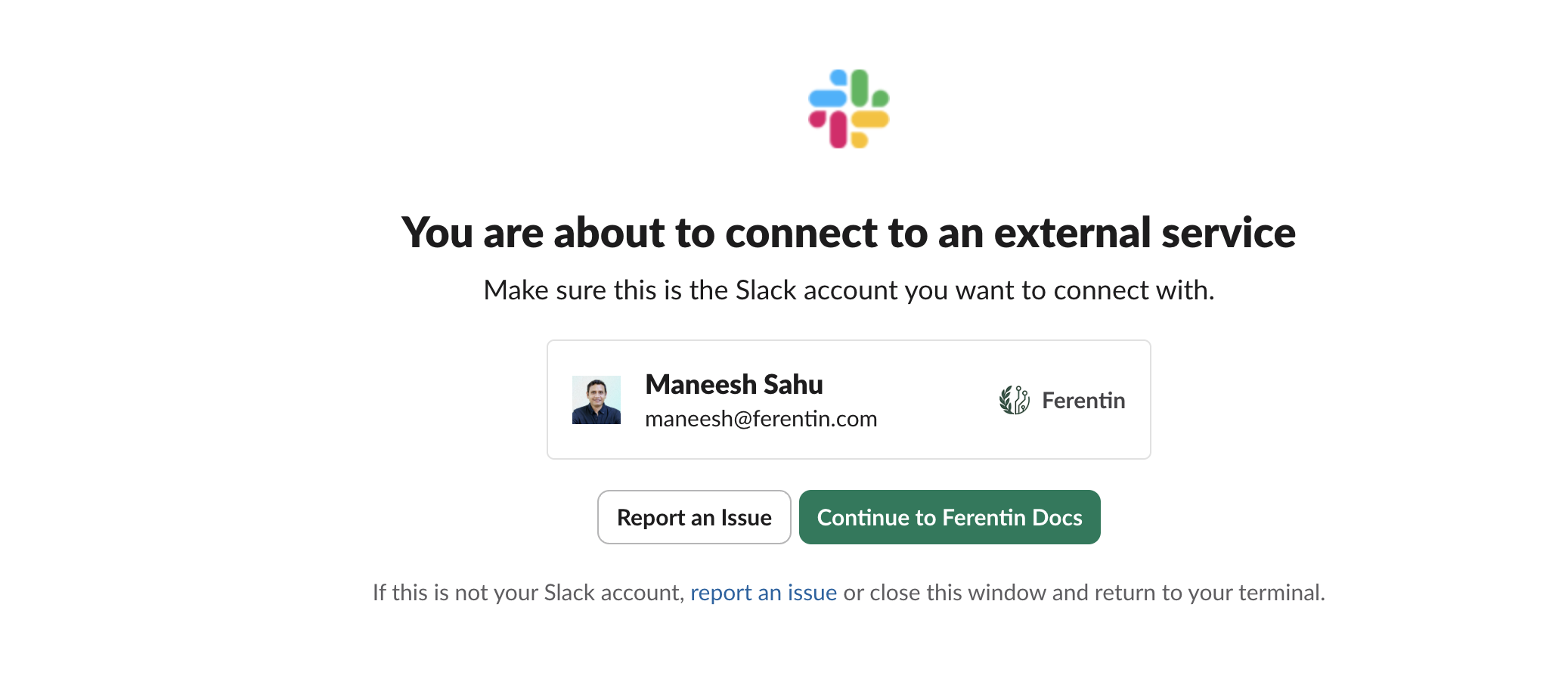
Slack confirms the account, then hands off to Ferentin for sign-in.
From then on Slackbot can use the server. Asked how to connect the Slack MCP server, it asked permission before calling the Search Docs tool.
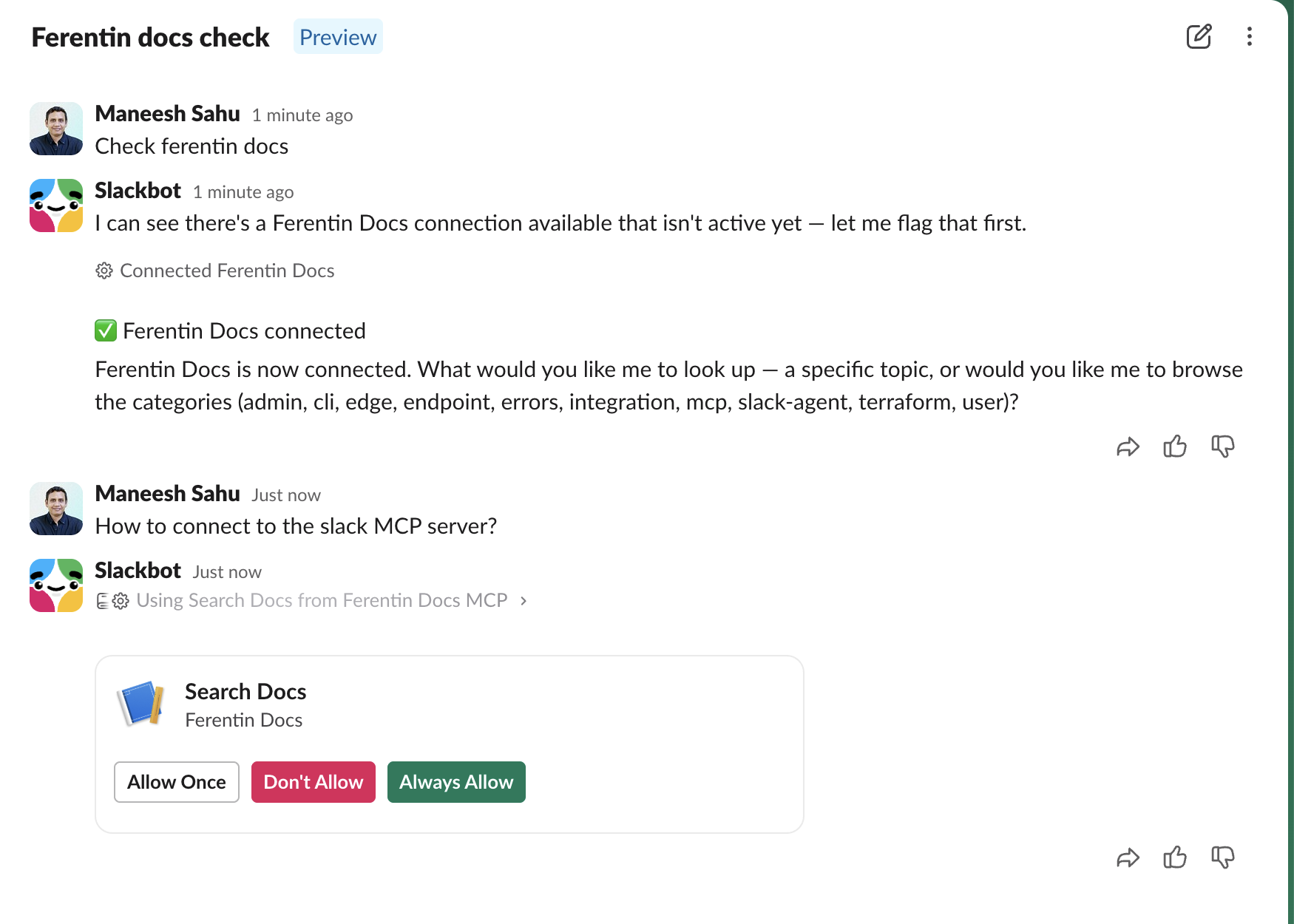
Slackbot asks before it calls a tool on the Ferentin Docs server.
Once allowed, Slackbot listed the available skills, loaded the research skill, searched the docs and read the right page. Each of those steps appeared in the Ferentin audit log within seconds, under the person who asked and with Slackbot named as the agent.
Agentforce, governed
Agentforce agents can use tools from any external MCP server that an admin registers in Salesforce. That makes a Ferentin MCP endpoint a single, governed place to offer Agentforce the tools you choose, instead of registering each vendor's server directly.
Agentforce connects to external MCP servers with OAuth 2.0 client credentials only. Salesforce does not currently support signing in as individual users for these connections. So in Ferentin, each Agentforce connection is its own agent identity rather than a person:
- An identity per connection. You create a dedicated agent in Ferentin for each Agentforce registration. It holds its own credentials, which you can rotate or revoke without touching anything else.
- Policy on every call. Ferentin policy decides which servers and tools that agent can reach. Agentforce's own permissions still decide who in Salesforce can use the agent.
- A complete audit trail. Every tool call is recorded under that agent, so you can see exactly what Agentforce did, when, and whether policy allowed it.
To connect, open Agentforce Registry in Salesforce Setup and add your Ferentin MCP endpoint with OAuth 2.0 client credentials. Salesforce asks for an "Identity Provider URL": enter your Ferentin token endpoint itself, not the issuer URL. Then add the client ID and secret of the Ferentin agent you created. Agentforce supports servers that use Streamable HTTP and calls their tools. It does not use MCP prompts or resources.
Agentforce Vibes, governed
Agentforce Vibes is Salesforce's AI coding agent for VS Code. It reads MCP servers from the workspace .mcp.json and signs in to them with OAuth, registering itself automatically.
That means each developer connects with their own work account the first time they use a Ferentin MCP server from Agentforce Vibes. Every tool call is then checked against policy and recorded under that developer, with Agentforce Vibes named as the client. It is the same per-user model as Slackbot, applied to the developers building on your Salesforce org.
The Slack MCP server
The Slack MCP server gives agents 27 tools across search, channels, threads, canvases, files, reactions and messages. It now includes Slack Lists (create lists, add and update items, read them) and file uploads.
Through Ferentin, security teams decide which of those tools each group of users can reach. A common starting point is read and search for everyone, with posting, canvas edits and file uploads reserved for the teams that need them. Data protection policies scan what agents send and what comes back, so a customer record or a secret does not leave in a message an agent drafted.
Salesforce MCP servers
Ferentin governs the Salesforce hosted MCP servers that matter most to revenue and operations teams:
- SObject access. SOQL queries, cross-object search, record create, update and delete, relationship traversal, schema discovery and user context, all enforcing field-level security, sharing rules and profiles.
- Headless 360. Discovery of Salesforce configuration and operational procedures, plus general API execution against the org, with a separate read-only variant.
Headless 360 deserves a specific note. Its execution tool takes an API path and an HTTP method, which means a single tool can reach a very large part of the org. A per-tool allow list cannot see that on its own. Ferentin flags tools like this so security teams know where per-tool governance ends and can hold writes behind approval or offer only the read-only variant.
For these servers, authentication uses OAuth 2.0 with PKCE and every action is bound to a real user. There are no shared service accounts.
Why this matters now
Every vendor on the Dreamforce floor is making its systems reachable by agents. That is the right direction. It also multiplies the number of identities acting on your data and the speed at which they act.
The questions security teams ask about people (who did it, what did they touch, were they allowed to) do not go away when an agent does the work. They get harder. Ferentin answers them in one place, for Slackbot and Agentforce, for the agents your developers use every day and for the ones you build.
Get started
Slackbot MCP connections depend on your Slack plan. Connecting Slackbot to Ferentin takes a Slack app with your Ferentin MCP server added to it, and each user connects once from Slackbot.
Agentforce MCP connections are available in Salesforce Enterprise, Performance, Unlimited and Developer Editions. Connecting takes a Ferentin agent with client credentials and one entry in Agentforce Registry. Agentforce Vibes needs only your Ferentin MCP endpoint in the workspace .mcp.json.
In San Francisco for Dreamforce this week? Book time with us and we will show you Slackbot, Agentforce, Slack and Salesforce running through Ferentin.
Explore the integrations:
Or book a demo and we will walk you through the setup live. #DF26
Stay in the loop
Get the latest on enterprise AI security delivered to your inbox.