

Salesforce
BetaCRM platform with full SObject CRUD, SOQL/SOSL queries, schema discovery, and relationship traversal — all governed by org security model.
- CRM
- Sales
- Service
- Authentication
- OAuth 2.0
- Hosting
- Vendor-hosted endpoint
- Required scopes
- 2
- Data actions
- Read only
How it works
Every agent request passes through Ferentin policy before it reaches Salesforce.
Salesforce Hosted MCP Servers run on Salesforce infrastructure and expose 9 tools for the sobject-all server — SOQL/SOSL queries, SObject CRUD, relationship traversal, schema discovery, and user context. All operations enforce per-user OAuth 2.0 with PKCE and respect the org security model including field-level security, object permissions, and sharing rules. 8 hosted servers available for different access patterns: sobject-all, sobject-reads, sobject-mutations, sobject-deletes, data-cloud-queries, metadata-experts, salesforce-api-context, and engagement-interaction.
- AI agentAsks for something
- Ferentin policies
- OAuth 2.0 PKCE
- Field level security
- Object permissions
- Sharing rules
- Salesforce MCP serverAuthorized connection
- Governed resultMasked, logged, returned
What agents can do
11 tools · you choose which ones agents may callEvery tool this server exposes. You choose which ones agents may call.
- Get Related Records
- Get Recently Viewed Records
- Query Records (SOQL)
- Search Across Objects (SOSL)
- Get Current User Info
- Get Object Schema (Enhanced)
- Create Record
- Update Record
- Update Related Record
- Delete Record
- Delete Related Record
Permissions requested
The OAuth 2.0 scopes Salesforce asks you to approve when you connect.
| Scope | Access |
|---|---|
| mcp_api | Not rated |
| refresh_token | Not rated |
Before you connect
- Default URL connects to the sobject-all server (full CRUD: query, search, create, update, relationship traversal). Change the server name in the URL to use a different server.
- Available servers: sobject-all (11 tools), sobject-reads (6 tools), sobject-mutations (9 tools), sobject-deletes (8 tools), data-cloud-queries (2 tools), metadata-experts (1 tool), salesforce-api-context (6 tools), engagement-interaction (3 tools)
- Each server must be activated individually in Setup > MCP Servers before it can be used
- All operations respect your Salesforce org security model: field-level security, object permissions, sharing rules, and user profiles
2 more technical notes
- Only mcp_api and refresh_token scopes are required — do not add api, sfap_api, or einstein_gpt_api
- If your org uses a custom domain (My Domain), you may need to override the OAuth authorization URL to https://<your-domain>.my.salesforce.com/services/oauth2/authorize
Step-by-step setup
Full setup guide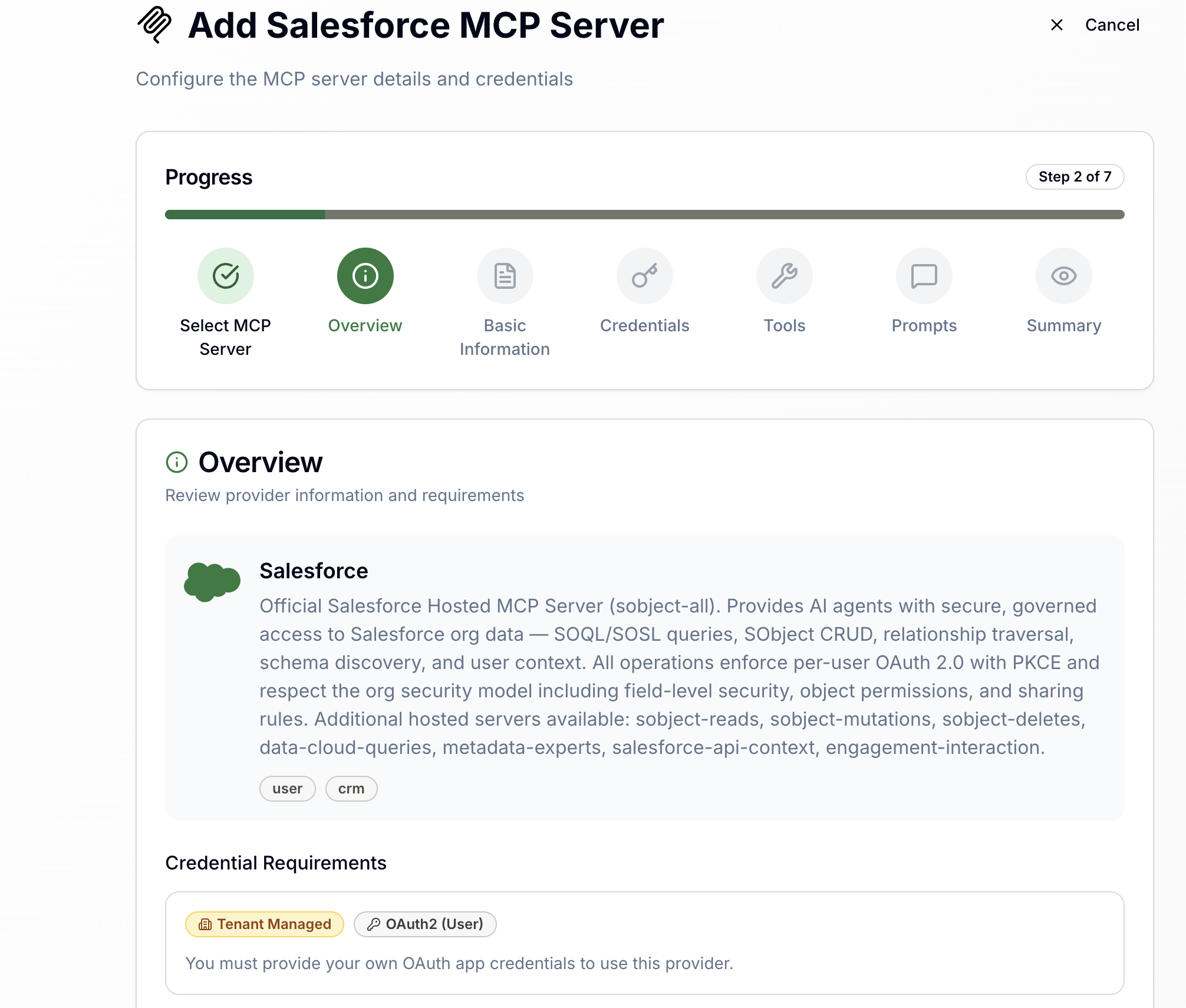
About Salesforce
Salesforce is the world's leading CRM platform, providing sales, service, marketing, and commerce capabilities. It supports custom objects, workflow automation via Flows and Apex, analytics via Tableau, and a comprehensive REST API for data access.
Frequently asked about Salesforce
- What can AI agents do with Salesforce through Ferentin?
- Through Ferentin, agents can use Salesforce for soql queries, sosl search, sobject crud, relationship traversal, schema discovery, user context, prompt templates and org security enforcement. Every call is checked against your Ferentin policies first.
- How is Salesforce access secured?
- Requests through the Salesforce integration are covered by OAuth 2.0 PKCE, field level security, object permissions, sharing rules, jwt access tokens and per user authorization. These controls are applied by Ferentin, not by Salesforce, so they hold across every connected agent.
- What permissions does the Salesforce integration require?
- The Salesforce integration requests 2 OAuth 2.0 scopes: mcp_api; refresh_token
- How do I connect Salesforce to Ferentin?
- Open the Ferentin admin console, add Salesforce as a new connection and authenticate with OAuth 2.0. You then choose which permissions and which tools your agents may use, and the connection goes live for everyone covered by your policies.
- Is the Salesforce integration generally available?
- The Salesforce integration is currently beta on Ferentin.
Related integrations
3
HubSpot
CRM, marketing, sales, and service via HubSpot. Manage contacts, companies, deals, and tickets through OAuth2 authorization.

Slack
Business communication platform for team messaging, channels, and integrations.

Datadog
Observability platform for logs, metrics, traces, monitors, incidents, security signals, and synthetic tests.